-
From Kurt Melvin and Pheeds.com
I started creating content and SEO in 1996 and I was one of the earlier developers of content creation systems. Making quality content that people actually want is a valuable asset to everyone interested in making money online. This is the best system I've ever seen for making content...bar none.
The ability to have two browser windows open and active at once, with one (of more) having artificial intelligence conveniently open is astronomically productive. This combo along with how easy it is for you to design your own custom prompt systems for yourself, your family, friends and clients gives us power and convenience like we've never seen before.
You'll find all the info and links on this page to set yourself up with the ultimate fully customizable AI prompting systems. And it's fast, easy and either totally free or really inexpensive.
Here's a quick intro video for the system. It's 4:27. Note that you can probably play these videos at 1.5x speed to save some time.
Also, sorry for the cheesy Albert Einstein voice. I wanted to try something different using ElevenLabs to generate voices and had some extra credits.
1. Introduction to Custom AI Prompt Makers
2. Using Browser Sidebars for Increased Efficiency
3. Features of the Sidebar Extension for Content Creation
4. Customization of Sidebar Pages
5. Benefits and Final Call to Action
Create custom, free AI prompt systems in minutes with this browser sidebar trick. Perfect for content creators, researchers, and anyone using AI tools regularly. Enhance your workflow with minimal effort.
1. Introduction to Sidebar Productivity Tools
2. Setting Up the Sidebar Extension
3. Features of a Custom Sidebar Page
4. Uses for Various Tools and Platforms
Try this simple experiment yourself and check out the results of this method...This video shows you an inventive twist to demonstrate just how easy it is to take your AI content making to brand-new dimension.
simple experiment2.mp4
The old cliche of thinking outside the box doesn't usually work as well when interacting with A.I.. In this video you'll see how a couple of easy steps can make your A.I. content better and more intersting.
The first step is to create an "info box" which gives A.I. boundries about what it should think about. There's a bunch of ways to do this, but a good one and the used in the video, is to suggest 25 questions about a topic/keyword. Not only does this create an info box with boundries, it uses questions people have to create content, which is a good way of creating content people want.
After setting the boundries for your content in the info box method, have A.I. put a unique perspective of the content using a potent collection of "Apply to" prompts.
To take your content a step further and choose a Writing Syle to match your audience.
Here's the actual content created by using these simple steps as shown in the video:
| Mr. Rogers Writing Style | Scientific American Writing Style |
|---|---|
Nothing was modified and these were the first results given by ChatGPT. You can tweak the results in "billions and billions" of ways.
Then prompt A.I. to to "Appy to: another one of the 25 questions using the same (or different) prompt seqeuence.
Repeat as needed.
In minutes you can create quality, interesting "long form" content you know people want.
Like energy and mass, when using the Custom Sidebar along with A.I. Pheeds Box, productivity and creativity are now interchangeable here.
Use "Famous People" to create click-bait content that is actually helpful, interesting and engaging using famous people to draw interest.
For example, using the general ideas and prompts above, how would Nikola Telsa feel about Tesla, any of its products or even Elon Musk?
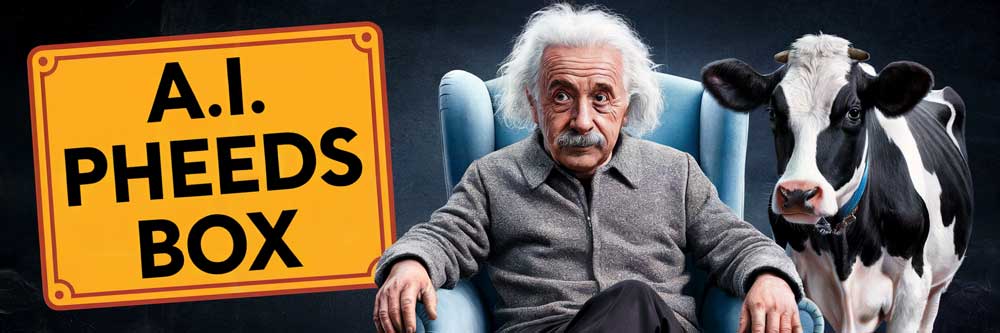
The collection of Famous People included in the custom sidebar` are all from the past so you don't need to worry about things usage rights, etc. Notice my use of Albert Einstein on this very page? These famous people were selected from a list of the most recognizable names in pre-WW II history to US millennials, to help maximize interest in your content.
Be careful using people that are famous, or not, and are still alive or have an estate, especially if you are promoting anything for profit. You don't want imply in any way they are endorsing something they didn't endorse. IMO, there are far too many options of famous people of the past without the legal and ethical restraints. Instead, try using trending topics and use A.I. to spin the topic using the perspective of a famous person.
1. Introduction to the Buyer Keyword Discovery Method
2. Step 1: Setting Up an Info Box (Optional)
3. Step 2: Discovering Buyer Keywords
4. Step 3: Expanding Keywords with the Alphabet Soup Method
5. Step 4: Experimenting with Other Keyword Methods (Optional)
The "Open in Sidebar" extension allows you to load almost any webpage in a sidebar, so you have access to two pages at once and don't have to constantly switch tabs.
Free or Cheap Chat GPT AI Content Bots - Super Simple
Welcome to the channel! In this video, you'll discover how to build customized prompt systems designed specifically to your needs. Plus, this method uses free tools and there's a really inexpensive option that takes your AI content skills to entirely new level.
Free and cheap AI powered versions.
Using a sidebar extension isn't just for using with Pheeds Box or the AI Sidebar Page Deluxe. Everyone that works on the web should have a sidebar extension. It makes a lot of things a lot easier. You can use your Sidebar Page with free and paid AI platforms like ChatGPT, Claude, Perplexity, etc. to get the ultimate results. And you'll see how well a sidebar tool works with the AI Sidebar Page Deluxe.
First, let's look at your Sidebar Page in the full browser window. At the top is the Pheeds Box that lets you chat directly with OpenAI and ChatGPT. For more details on adding artificial intelligence to your Sidebar Page, see below.
Everything else on the Sidebar Page is totally free and is designed to maximize your ability to create most interesting, helpful and engaging content with the help of artificial intelligence.
Next is a work area where you can craft your prompts. You can use your own Pheed Box AI connection, or pretty much any AI platform that uses text prompts. Once your prompts are ready, just copy and paste them into the AI.
Here's a some buttons that will open more features. This top button opens another work area. As you'll see in other videos, having a second area to store info can be really helpful.
You can click and drag the bottom right corner of both work areas to resize them.
Next are collections of buttons that will make your conent creations far more informative and interesting. We'll get into how to use these prompting tools to create AI content in unique ways in other training. This is just to show you how to use them.
Make mini-sites with your own custom AI Side Bar pages, each customized for different jobs and people. And just link them so you can easily access them. You don't even need a web site unless you want to also include AI chatbots.
Traffic => Landing page with options:
+ better: get the deluxe version free => email more free and my offers
+ best: Add your own chatbots here.
TOS | Contact | Affiliate Disclosure | DMCA Copyright Notice | Anti Spam Policy | Earnings Disclaimer